
Editing a Saved Prompt allows you to quickly update the prompt name, text, or permissions without creating a new one. Follow the steps below to make changes to an existing prompt.
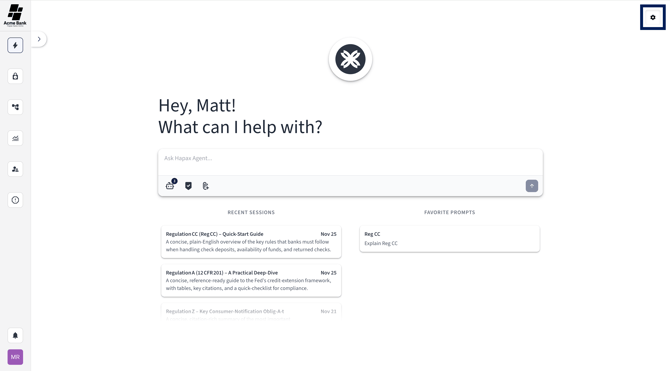
Step 1) Open Agent Chat Settings
Select the gear-shaped icon in the top left corner of the platform.
This opens your Agent Chat Settings, where all Saved Prompts are stored and managed.
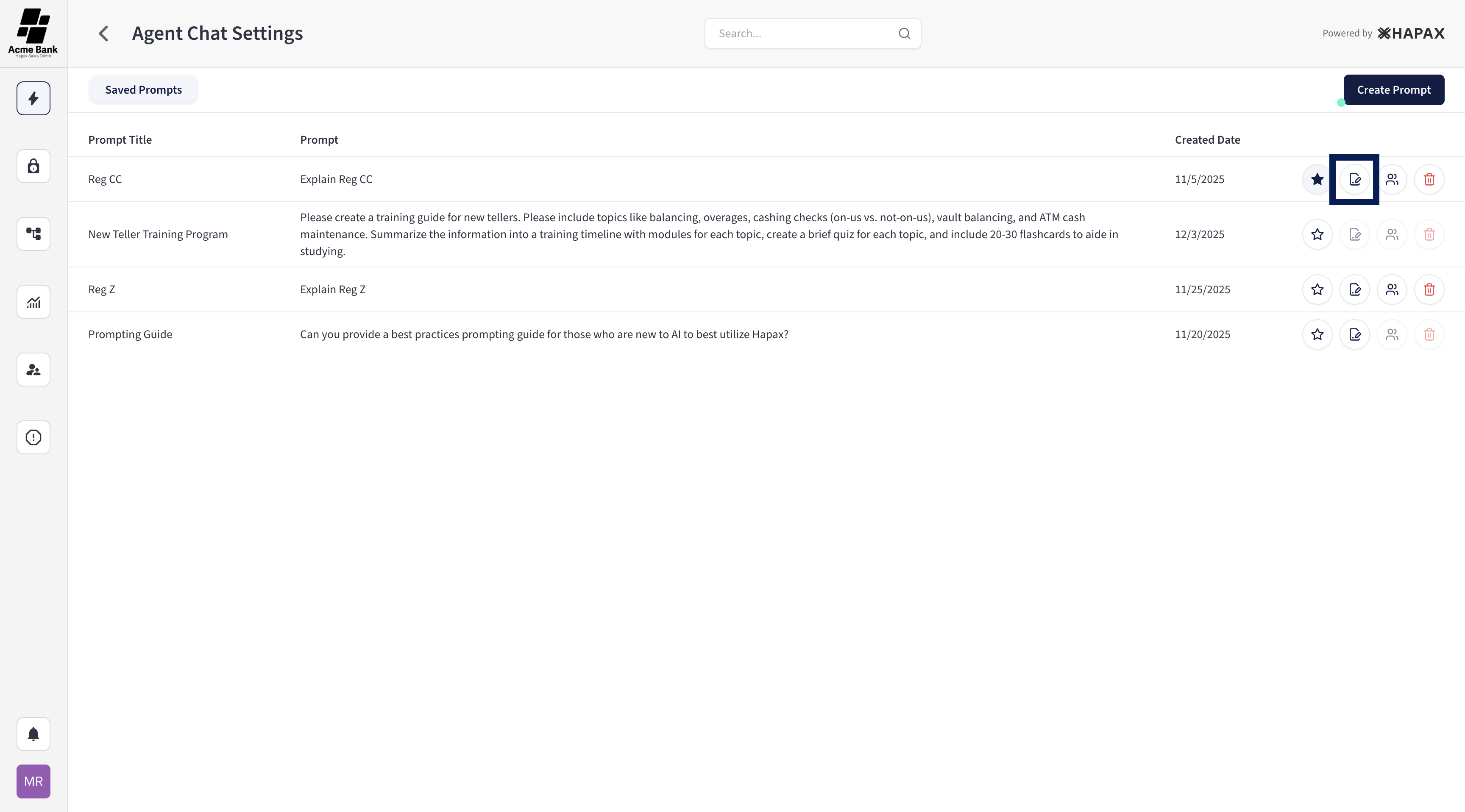
Step 2) Select the Edit Icon
Find the Saved Prompt you want to update.
On the right side of the prompt, select the pen and paper icon to begin editing.
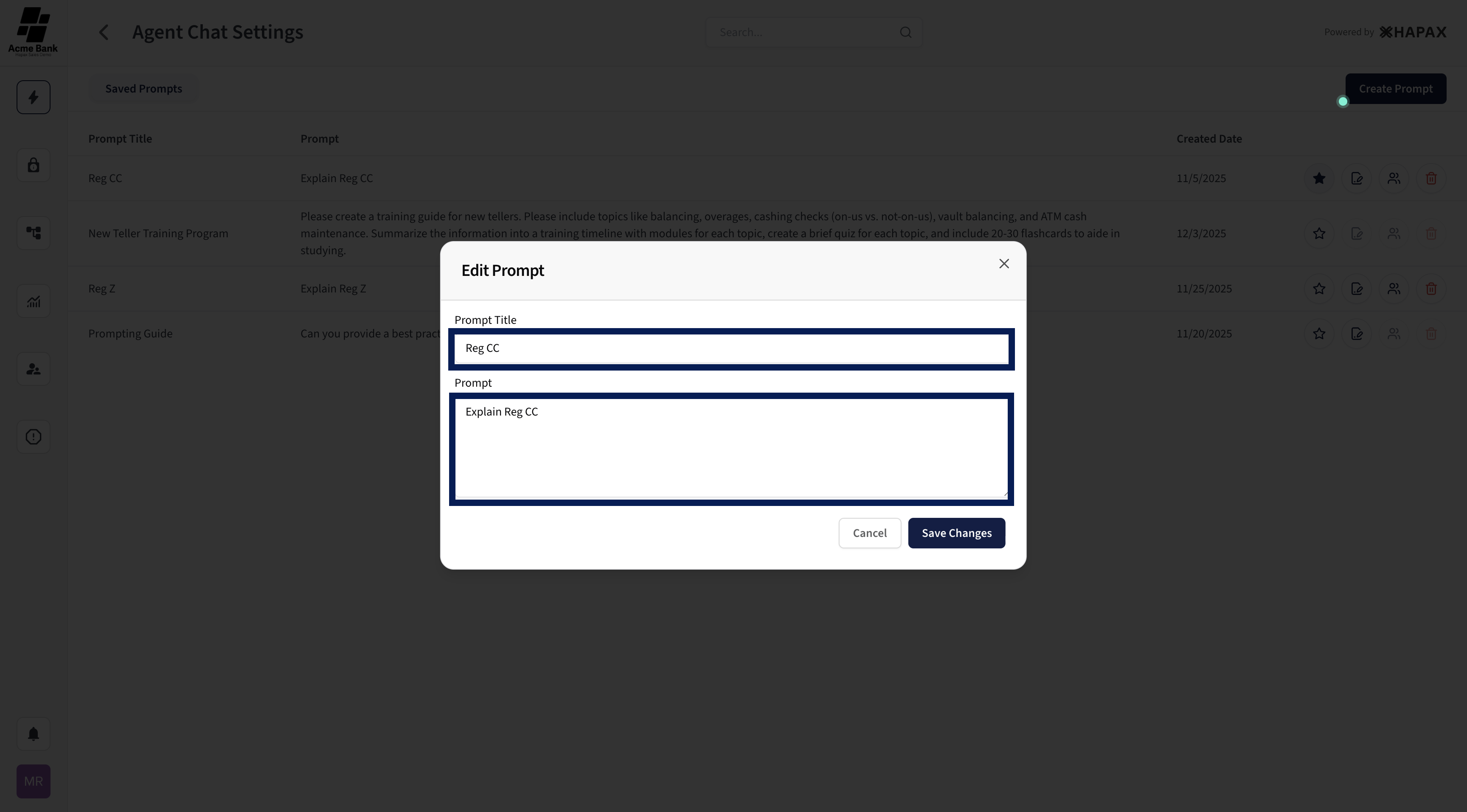
Step 3) Make Your Edits
An edit popup will appear.
Here, you can update:
-
The prompt name
-
The prompt text
Make any changes needed.
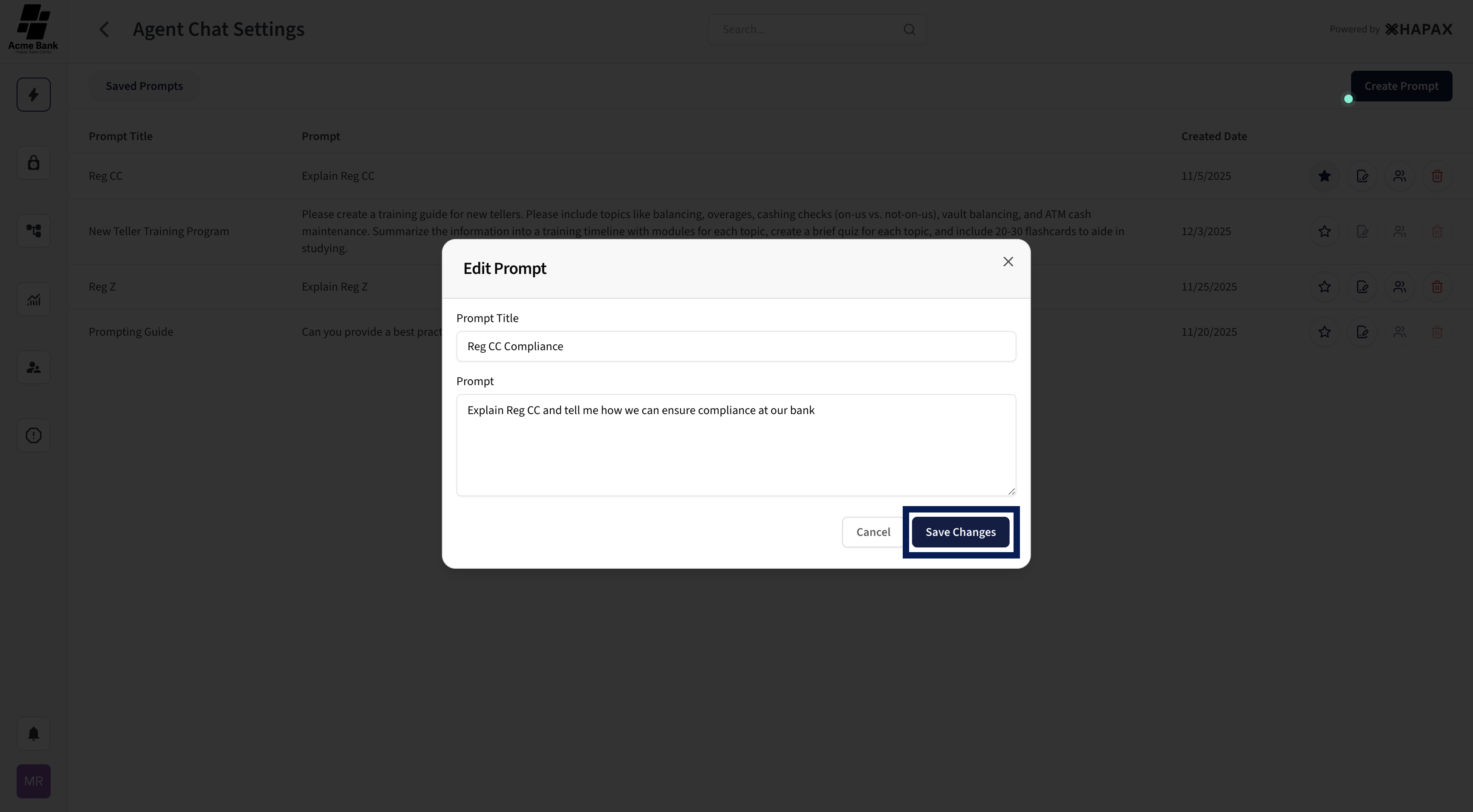
Step 4) Save Your Changes
When you're done editing, select Save Changes in the bottom right corner of the popup.
Done!
Your Saved Prompt has been successfully updated.