
Favoriting a Saved Prompt allows you to access it quickly from the main chat page. Follow the steps below to mark a prompt as a favorite.
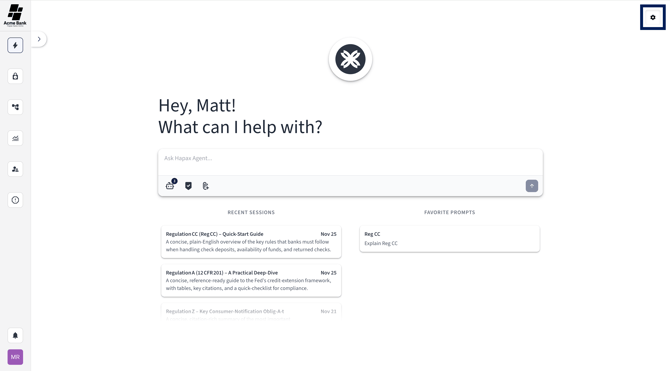
Step 1) Open Agent Chat Settings
Select the gear-shaped icon in the top left corner of the platform.
This will take you to your Saved Prompts list.
Step 2) Select the Star Icon
Find the Saved Prompt you want to favorite.
On the right side of the prompt, click the star icon.
-
If the star is empty, clicking it will favorite the prompt.
-
If the star is filled, clicking it again will unfavorite it.

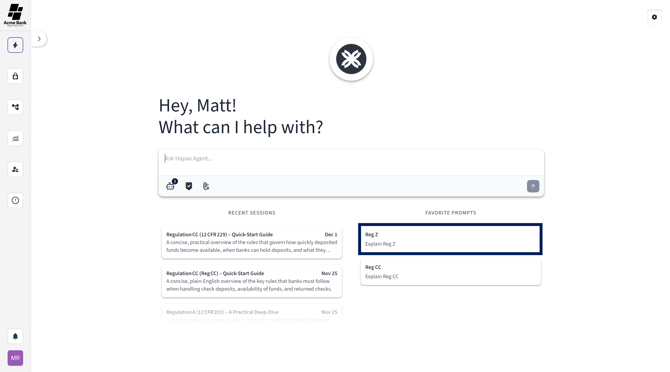
Step 3) View Your Favorited Prompt
Return to the chat page.
Your favorited prompt will now appear under the Favorited Prompts section for quick access.
Done!
You’ve successfully favorited your Saved Prompt. You can now access it quickly whenever you need it.